
How to Create Interactive Elements in Online Courses for Maximum Engagement
CourseAI Team
May 22, 2024
8 min read
Are you paying attention? In the digital age, learners' engagement has become paramount, especially in online education, where the lack of physical presence can lead to disinterest and disengagement. Interactive elements such as quizzes, simulations, and interactive videos play a pivotal role in maintaining student interest and ensuring active participation.
As an AI course creator, incorporating these interactive tools effectively can greatly enhance the educational experience, making learning both engaging and effective. This article explores the types of interactive elements that can be integrated into online courses and discusses best practices used by top-performing online educators.
Overview
The Role of Interactivity in Learning — Key Interactive Elements for Online Courses
Interactive Quizzes
Simulations
Interactive Videos
Gamification
Designing Effective Interactive Elements
Alignment with Learning Objectives
Focus on User Experience
Iterative Testing and Feedback
Scalability and Flexibility
Integration with Technology
Inclusion and Accessibility
The Role of Interactivity in Learning
Interactivity in online courses serves to mimic the engaging aspects of face-to-face learning by encouraging active participation and immediate application of knowledge. This not only keeps learners engaged but also enhances retention and comprehension. For AI course creators, this is particularly crucial as the subject matter can be complex and often requires practical understanding alongside theoretical knowledge.
The role of interactivity in online learning is crucial for enhancing learner engagement and educational outcomes. Several studies emphasize the importance of interactivity in mimicking the engagement levels of face-to-face learning environments and boosting both comprehension and retention of material.
Research highlights that interactivity between students and instructors, as well as among students themselves, significantly improves learning experiences and satisfaction. For example, interaction through online discussion boards has been found to promote a sense of social presence, which in turn has a positive effect on learning outcomes.
Moreover, during the COVID-19 pandemic, the importance of social interactions in online learning environments was particularly emphasized. Studies found that social interaction positively impacts the effectiveness of online learning, although this effect was moderated by social distancing norms.
Thus, creating interactive elements in online learning platforms, especially in complex subjects like AI, is not only about keeping learners engaged but also about fostering a community feeling and collaboration that enhance the overall learning experience.
Key Interactive Elements for Online Courses
1) Interactive Quizzes
Quizzes are one of the most common interactive elements used in online learning. They provide immediate feedback to learners, which is crucial for reinforcing knowledge and correcting misunderstandings in real time.
Best Practices: Ensure that quizzes are challenging yet fair, and include a variety of question types (multiple choice, fill-in-the-blank, matching) to cater to different learning styles.
2) Simulations
Simulations allow learners to apply theoretical knowledge in virtual environments, which is especially beneficial in fields like AI, where real-world application is key to understanding complex algorithms and systems.
Best Practices: Design simulations that are as realistic as possible and provide learners with the opportunity to experiment with different scenarios.
3) Interactive Videos
Interactive videos enhance the passive experience of watching a video by incorporating interactive elements such as clickable links, embedded questions, or branching scenarios where learners can choose different paths through the content.
Best Practices: Use interactive videos to break down complex concepts into digestible parts. Embed questions throughout the video to maintain engagement and test understanding.
4) Gamification
Gamification involves incorporating game-design elements into the learning process to motivate continuous engagement and competition among learners.
Best Practices: Introduce elements like points, leader boards, and badges to reward achievements and progress.
Designing Effective Interactive Elements
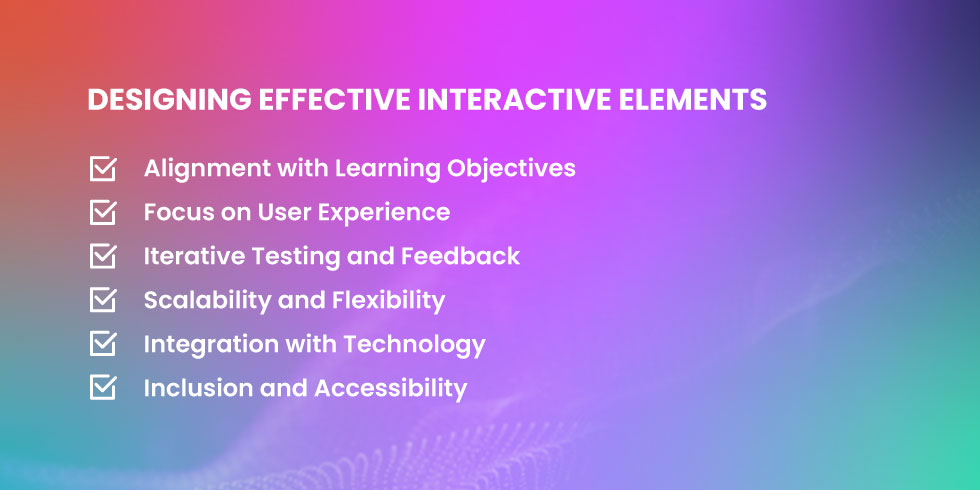
Designing effective interactive elements in educational settings is a multifaceted process that goes beyond just the technical development. It entails a deep understanding of educational goals and learner psychology to ensure these tools are both effective and engaging.
1) Alignment with Learning Objectives
Interactive elements must be deliberately integrated into the curriculum with a clear purpose. Each element should directly support the course's learning objectives, ensuring that the interactions are not only engaging but also meaningful and directly contributory to the educational outcomes.
This alignment helps in creating a coherent learning experience that logically progresses towards achieving the defined educational goals.
2) Focus on User Experience
The design of interactive elements should prioritize user experience to ensure ease of use, accessibility, and simplicity.
It's important that these elements are not overly complex or intimidating, as this could lead to learner frustration and disengagement. By focusing on a smooth and intuitive user interface, the interactive elements can enhance the learning process rather than becoming a hindrance.
3) Iterative Testing and Feedback
To ensure the effectiveness of interactive elements, they should undergo rigorous testing and refinement based on actual learner feedback. This iterative process involves conducting pilot tests with a select group of learners to identify any issues or areas for improvement.
Insights gathered from these tests are crucial for making the necessary adjustments before the interactive elements are fully integrated into the course. This step not only helps in optimizing the design but also in validating the educational value of the interactive features.
4) Scalability and Flexibility
Interactive elements should be designed with scalability and flexibility in mind. This means they should be adaptable to different learning environments and capable of accommodating varying numbers of users.
Whether a course is delivered in a classroom, online, or in a blended format, the interactive elements should be robust enough to maintain functionality and effectiveness across these different settings.
5) Integration with Technology
Effective interactive elements should seamlessly integrate with existing educational technology platforms. This includes learning management systems (LMS), student information systems (SIS), and other educational tools.
Smooth integration facilitates a more cohesive learning experience, reduces technical barriers, and enhances the overall functionality of the educational ecosystem.
6) Inclusion and Accessibility
It's crucial that interactive elements are designed to be inclusive and accessible to all learners, including those with disabilities. This includes adhering to web accessibility standards and considering various user needs in the design process. By implementing features such as keyboard navigation, screen reader compatibility, and adjustable text sizes, designers can ensure that interactive elements are usable by everyone, thus promoting equality in educational opportunities.
Key Focus Area
Description
Alignment with Objectives
Ensure that all interactive elements have a clear purpose that supports the learning objectives of the course.
User Experience
Design interactions that are intuitive, accessible, and simple, avoiding unnecessary complexity.
Iterative Testing & Feedback
Conduct pilot tests and refine interactive elements based on learner feedback to enhance effectiveness and ensure alignment with educational goals.
Scalability and Flexibility
Design interactive elements to be adaptable across different learning environments and scalable for various user numbers.
Integration with Technology
Ensure seamless integration with existing educational technologies to enhance usability and reduce technical barriers.
Inclusion and Accessibility
Design interactive elements that are accessible and inclusive for all learners, adhering to accessibility standards.
Conclusion

Interactive elements are essential for maximizing engagement in online courses. They not only make learning more enjoyable but also more effective, particularly in complex fields like AI. By incorporating a variety of interactive tools such as quizzes, simulations, interactive videos, and gamification, AI course creators like CourseAI significantly enhance the educational experience.
CourseAI exemplifies the successful implementation of these elements, ensuring that learners are not only engaged but also deeply involved in their learning process. This approach not only caters to diverse learning styles but also fosters a more comprehensive understanding of intricate AI concepts, preparing learners for practical applications in their future careers.
Get Started with CourseAIC
CourseAI Team
The CourseAI team writes practical guides to help course creators build, launch, and grow their online course businesses using AI-powered tools.
Ready to create your own online course?




The most advanced AI online course generation platform. From idea to live course in under 2 minutes.
Stay Updated
Latest strategies, guides, and tips on online courses and financial freedom.